The complete field operations platform for wind energy
TurbineDoc unifies your entire wind-site operation — site and turbine management, task flow, timesheets, equipment and vehicle handover — on one platform. It works offline, even with no connection on site.
iOS · Android · Web • Offline-first • GDPR & KVKK compliant • 4 languages
- 4 LanguagesTR · EN · DE · ZH
- 5 RolesSite-based permissions
- One flowWeb + mobile, one dataset
- Offline-firstWorks without internet
Five bottlenecks that slow field operations
On wind farm sites most work still runs on scattered tools. Each one means lost data, delays and compliance risk.
WhatsApp chaos
Tasks, photos and decisions get lost across dozens of groups; no one knows who owns what.
Document expiry
Certifications, training and document expiry are tracked by hand; expired paperwork puts the site at risk.
Timesheet delays
Overtime and hours are gathered on paper/Excel; approval drags on for weeks and disputes arise.
Vehicle & equipment handover
No one knows who holds which vehicle or tool; calibration and inspection dates slip by.
Offline disconnects
Remote turbine sites lose connectivity; crews wait, and entered data is lost.
Three layers, one data flow
Field, office and compliance meet on the same data — no copy-paste, no separate systems.
Web control room
Managers run every site, turbine, crew and report from a single real-time dashboard.
Mobile field app
Technicians complete tasks on site, offline; photos and notes sync automatically on reconnect.
Compliance & audit layer
Every action is timestamped and attributed to a user; records ready for audits and disputes.
- 1
Plan
Day plans, tasks and crew assignments are made from the web dashboard.
- 2
Execute
Field crews complete tasks on mobile, even fully offline.
- 3
Prove
Photos, checklists and signatures provide proof for every job.
- 4
Report
Data streams to the dashboard; PDF/Excel reports in one click.
12 modules on one platform
Every operation a wind site needs — connected, on one data flow.
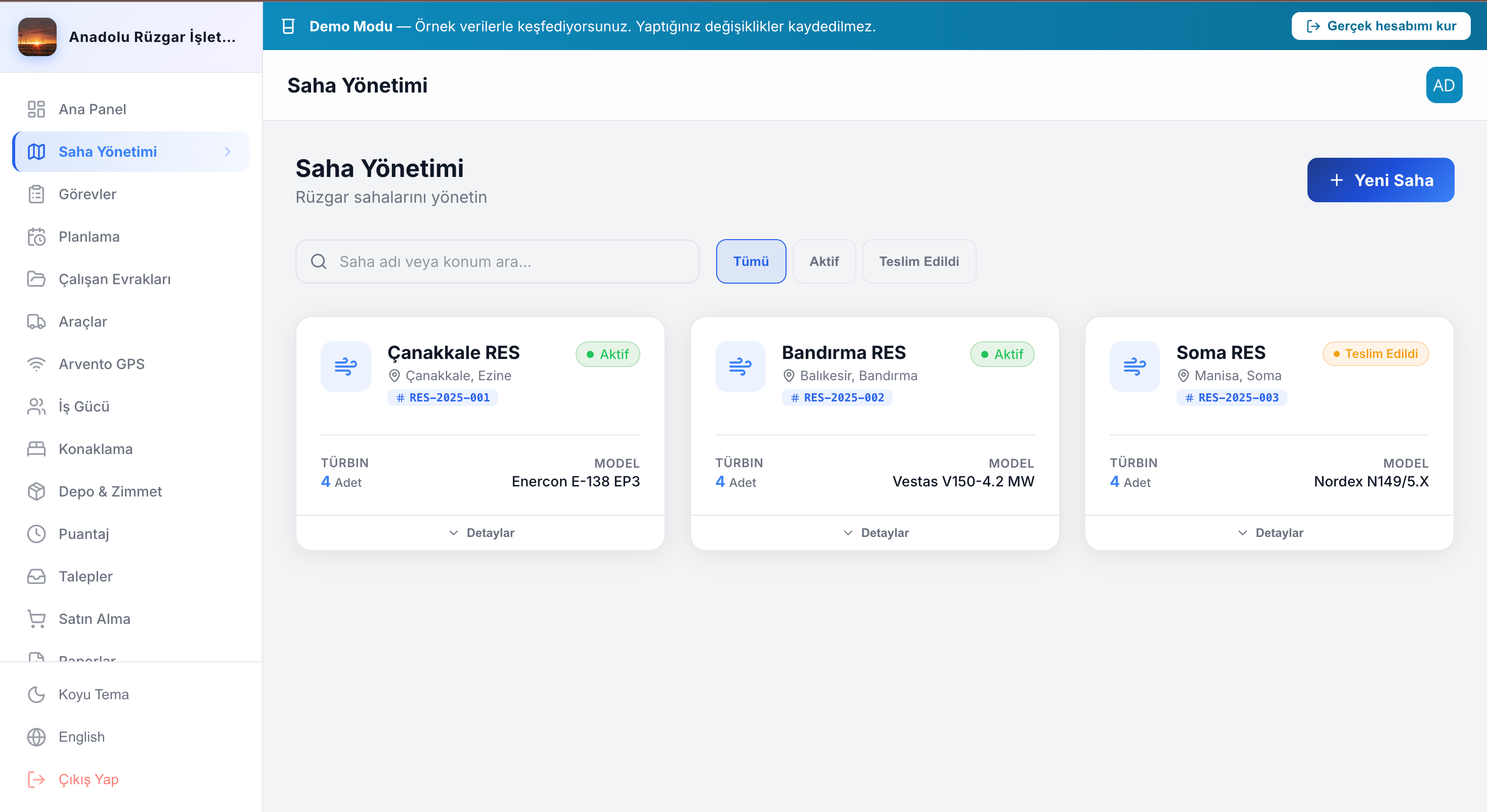
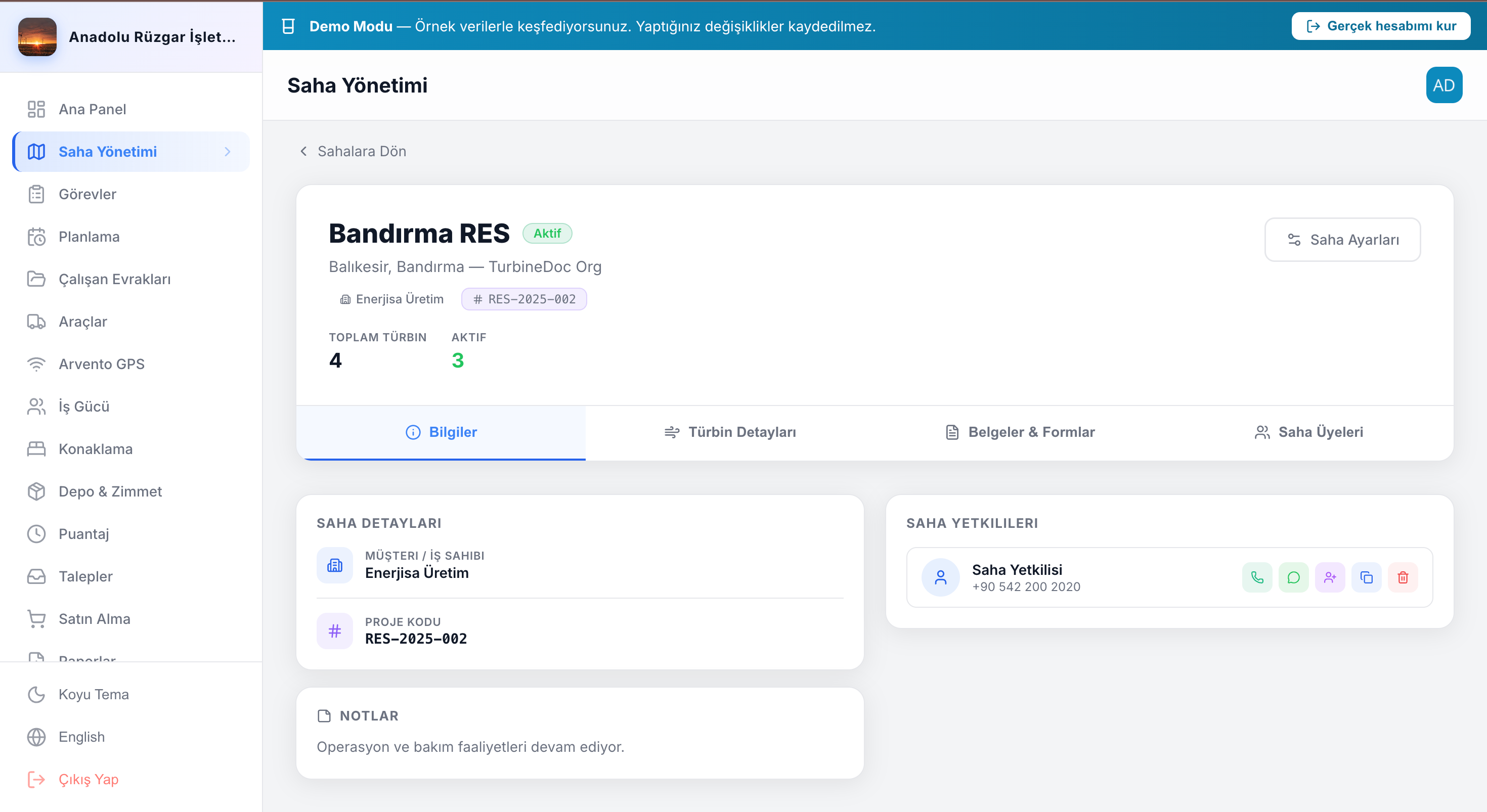
Site & turbine management
Sites, turbines, members and location tracking; per-turbine status and quality logs.
Task flow & chat
Work orders, assignments, checklists, task-scoped chat, photos and status tracking.
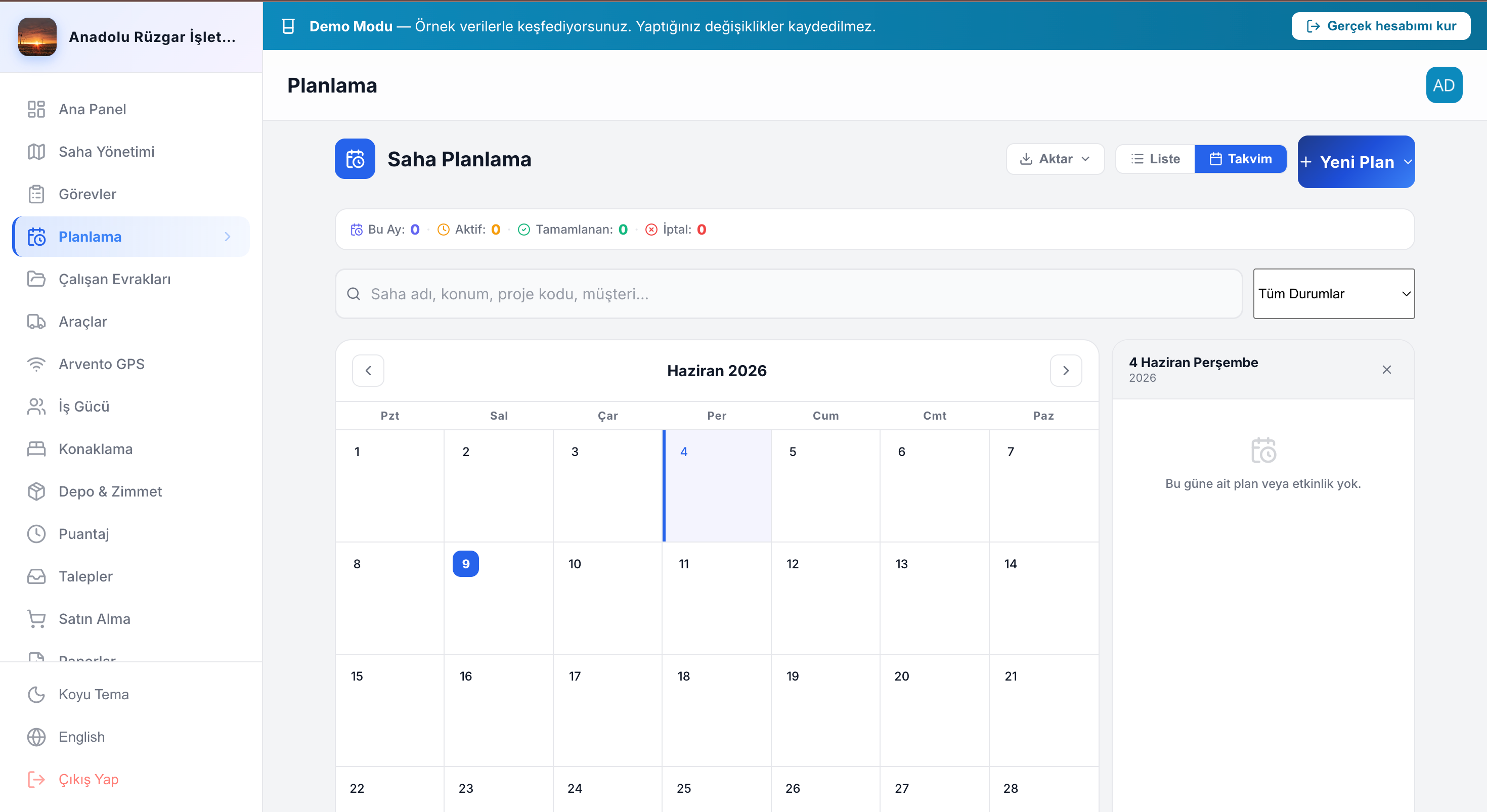
Day planning
Plan daily site work and close it out with end-of-day reports.
Vehicles & workforce
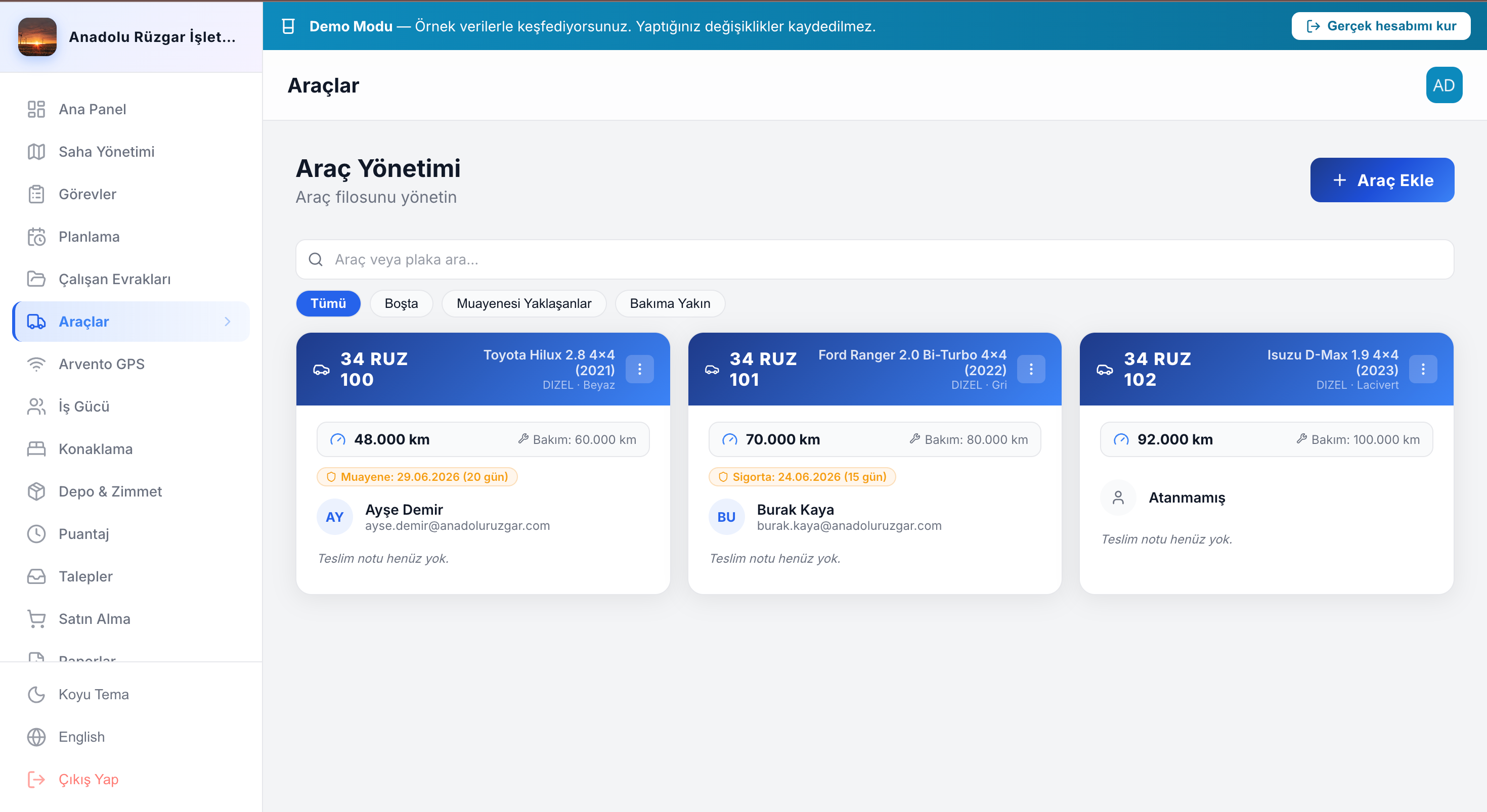
Vehicle handover, inspection checklists, workforce distribution and tracking.
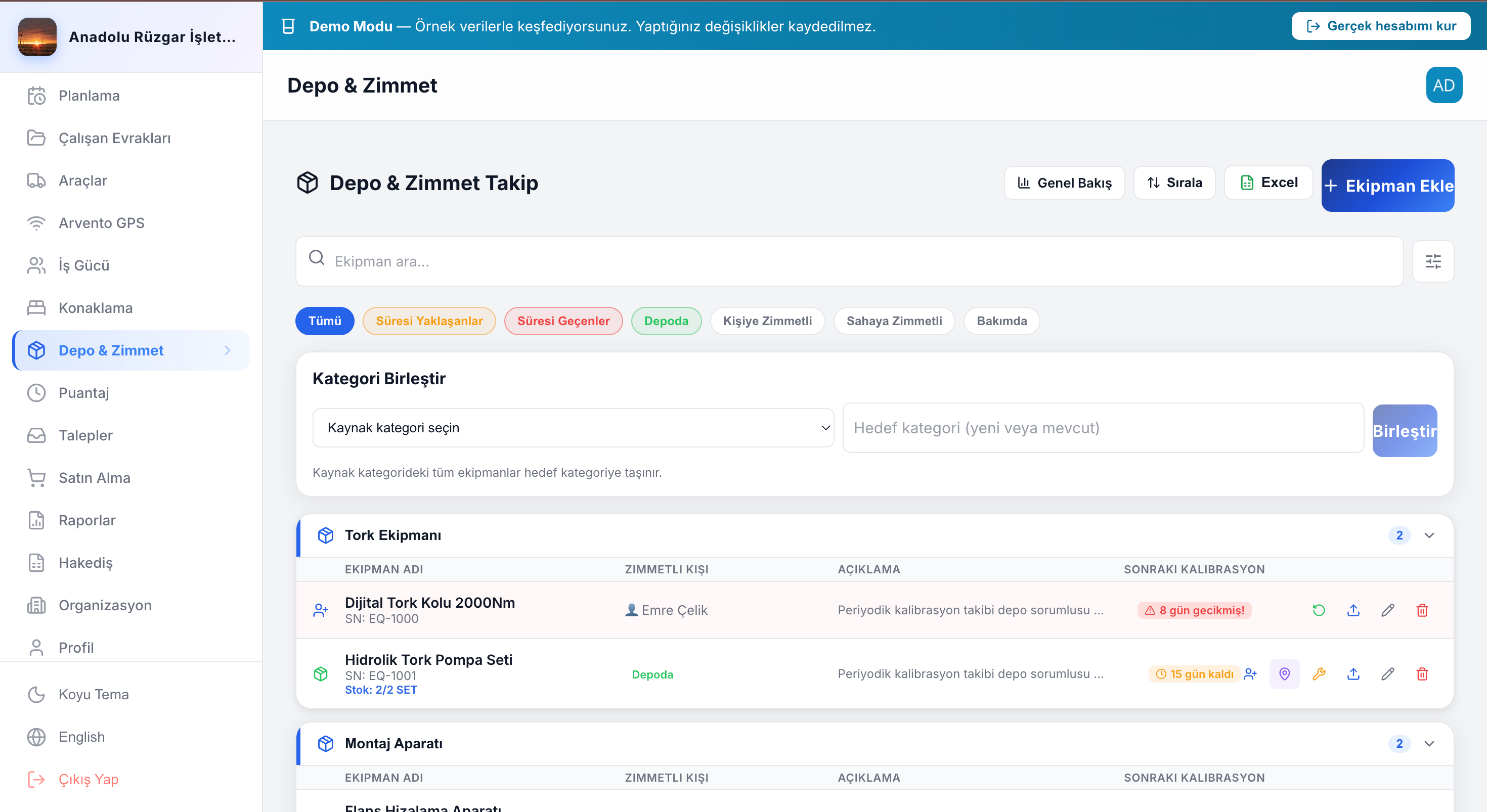
Equipment & calibration
Equipment check-out/in, status (warehouse/site/maintenance) and calibration tracking.
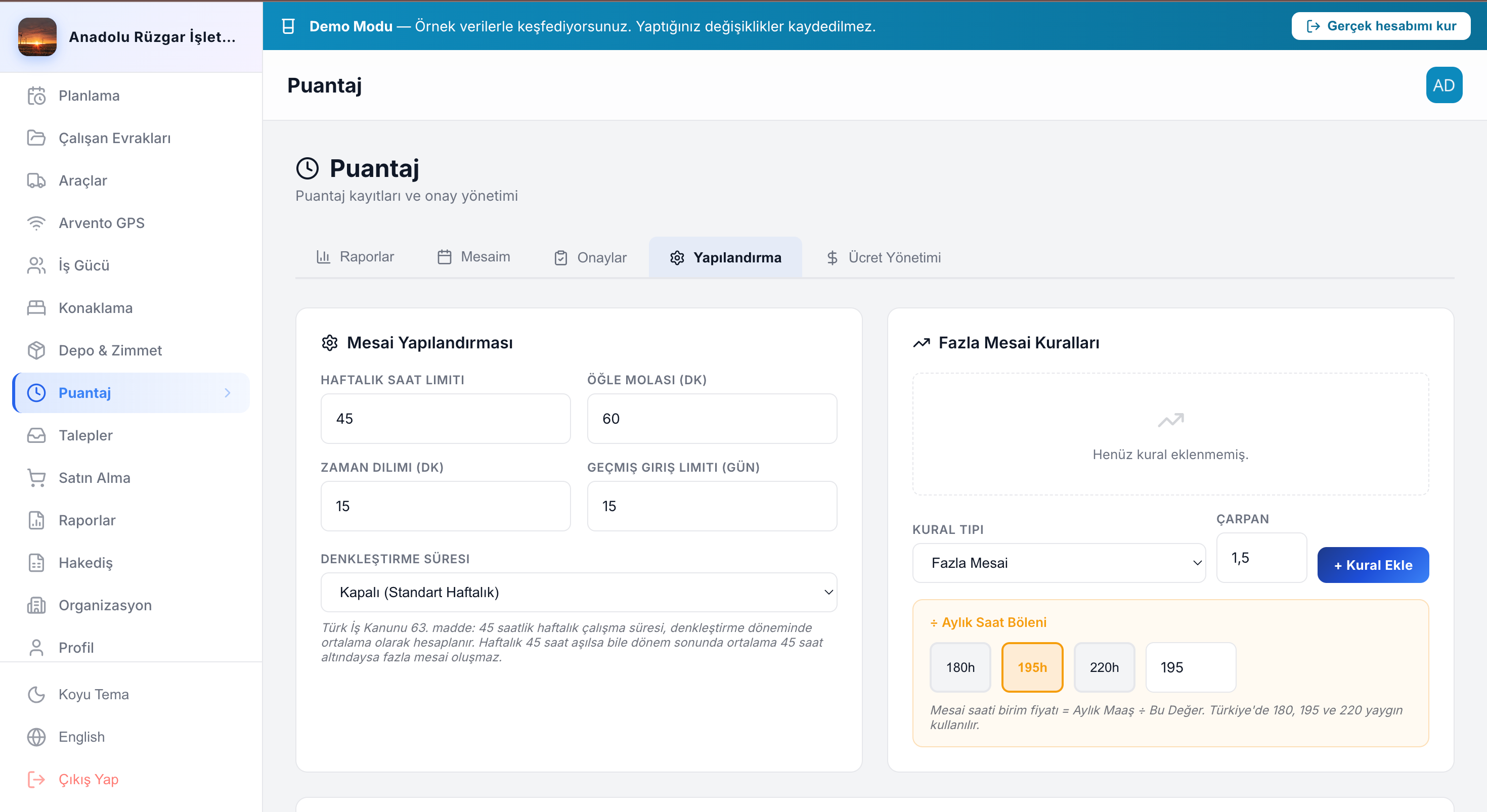
Timesheets & approval
Working hours, overtime calculation and manager (PM/SM) approval flow.
Employee documents
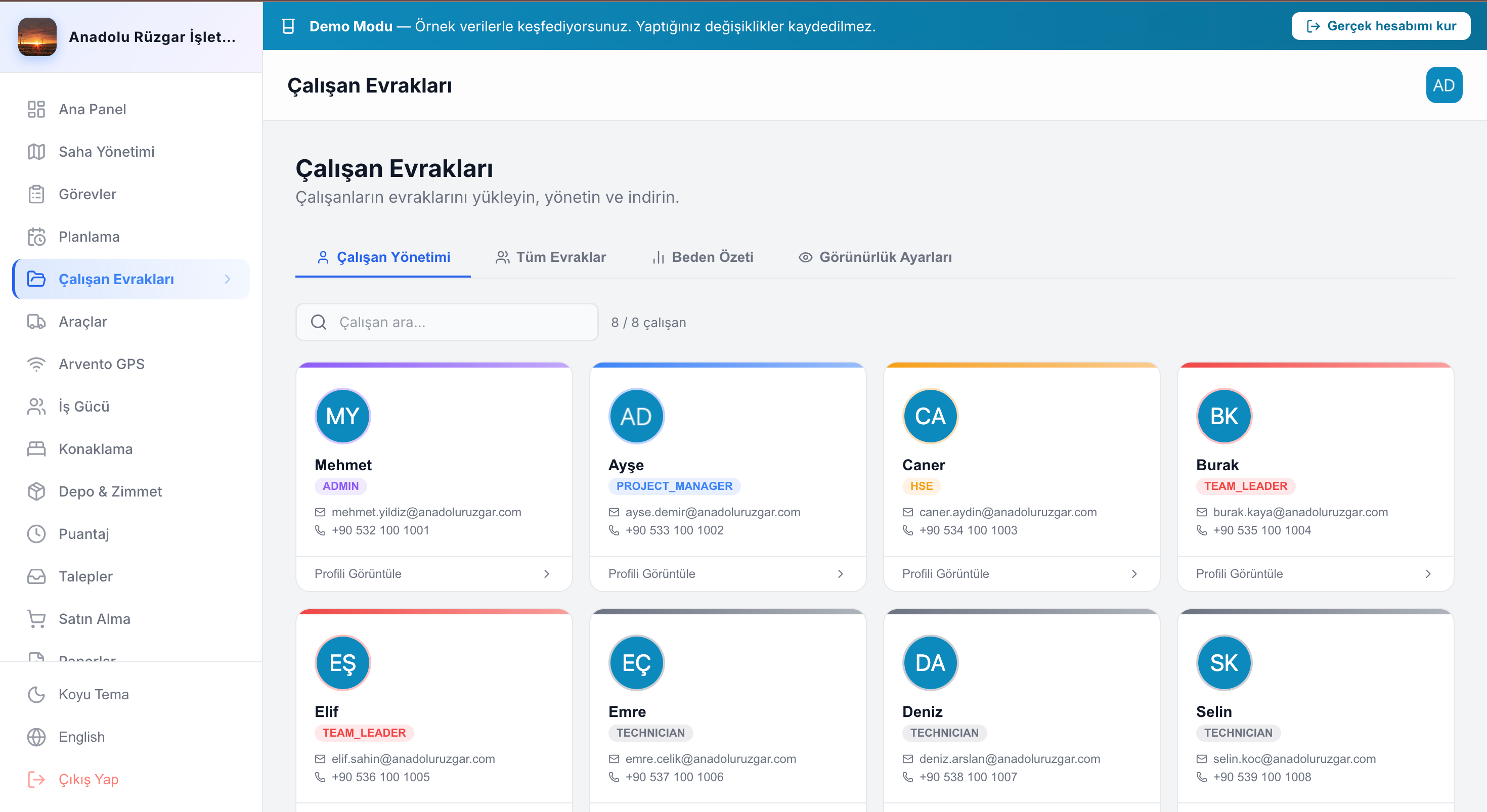
Certification, training and document-expiry tracking; a central archive for compliance.
Site documents
Folder hierarchy, S3 file management and recently accessed documents.
Reporting
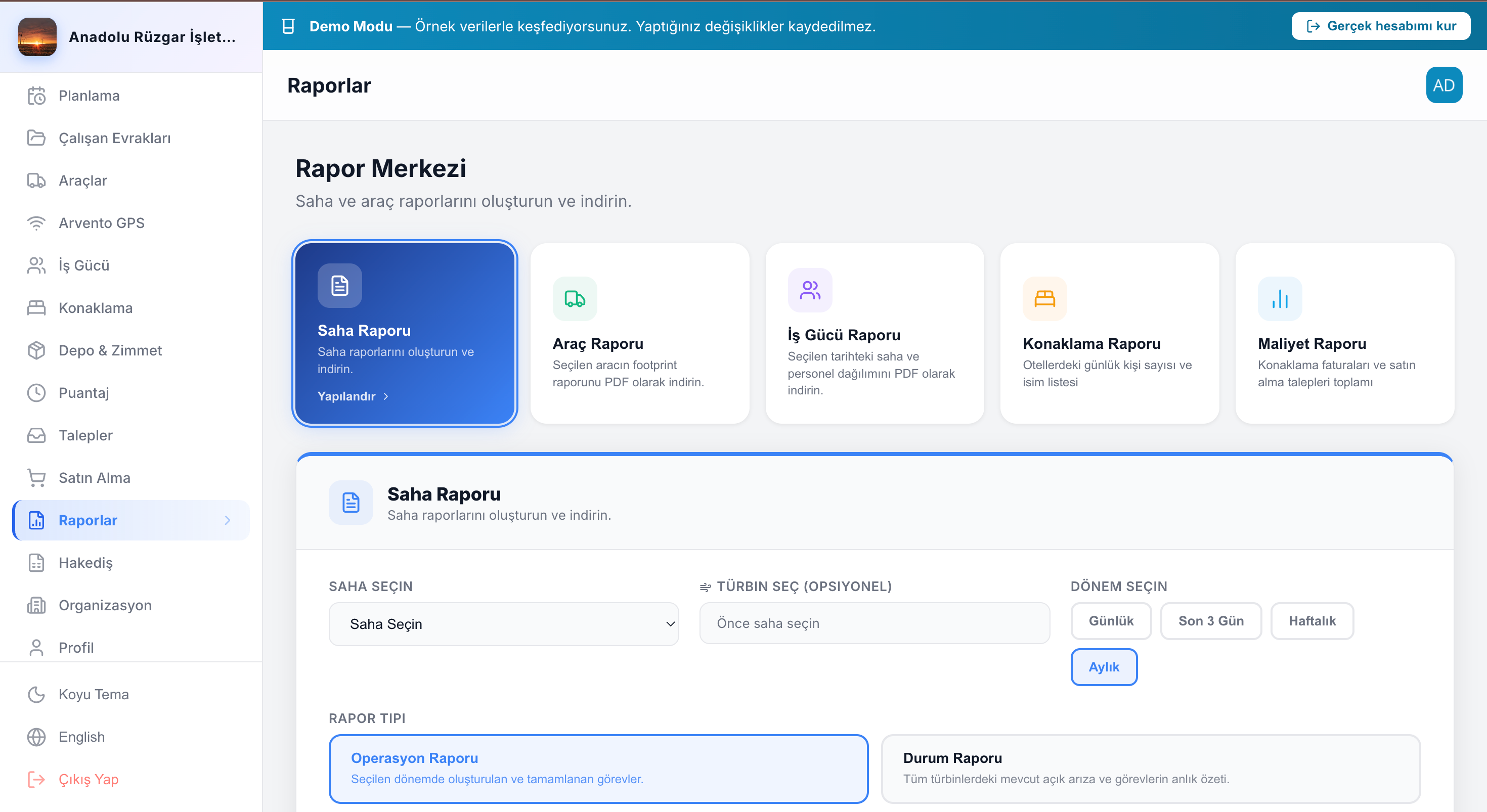
Scheduled PDF/XLSX generation, site- and period-based exports.
Notifications
OneSignal push + a notification center; instant alerts on critical events.
Permissions & audit
Permission-based access with 5 site roles and an audit trail of every mutation.
Offline sync
Local queue + automatic sync; work never stops when the connection drops.
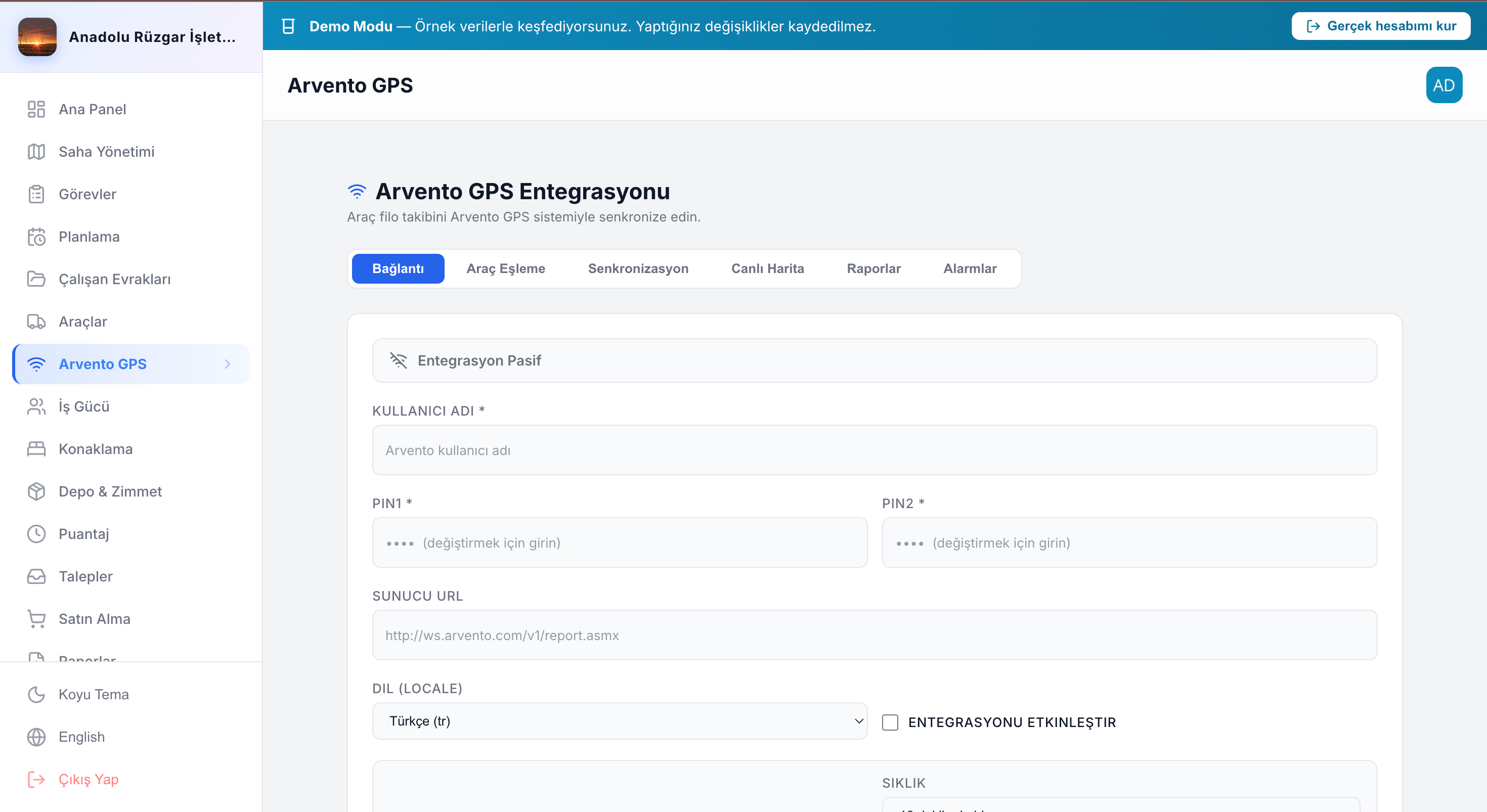
Real screens, real operations
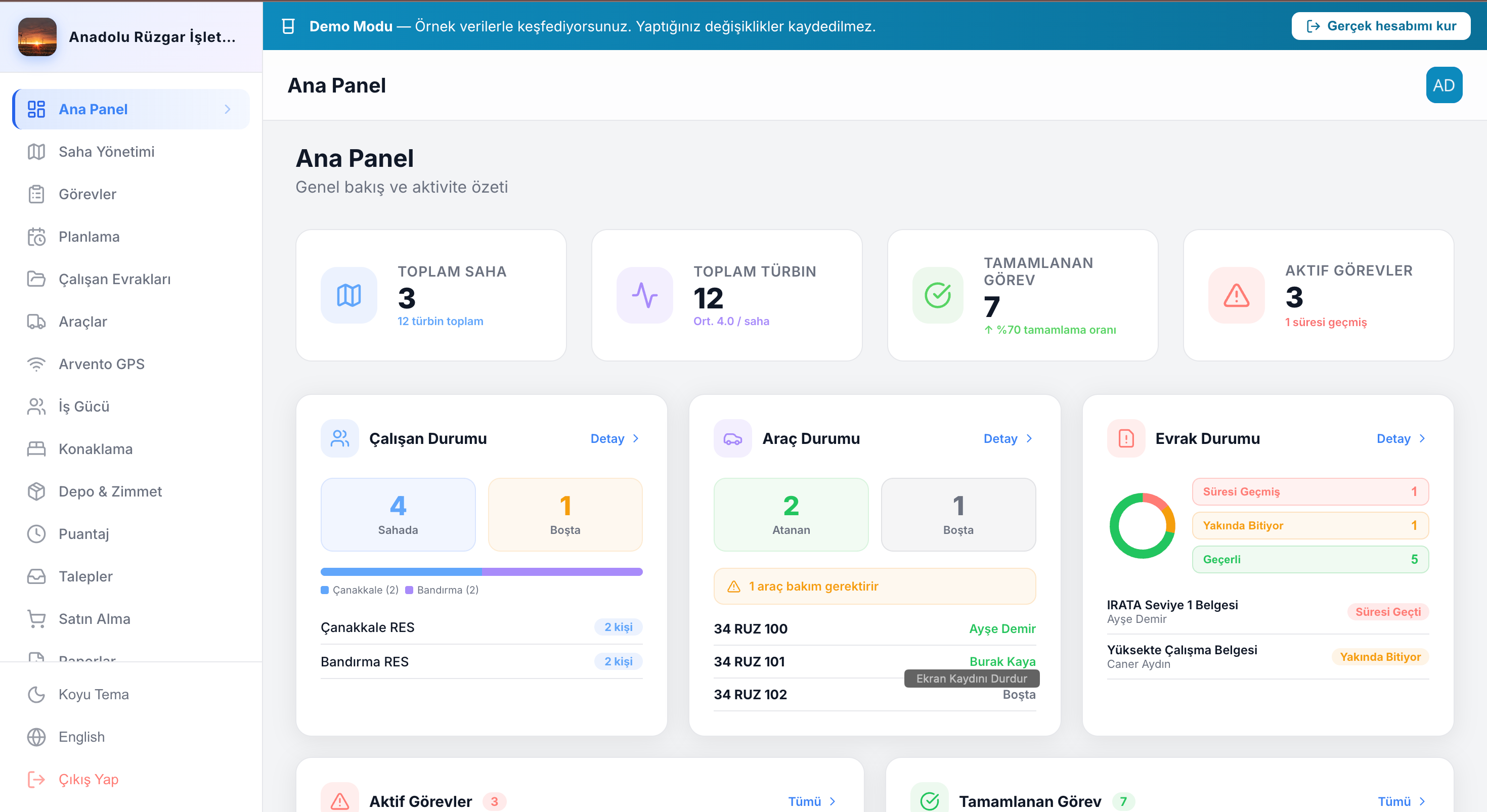
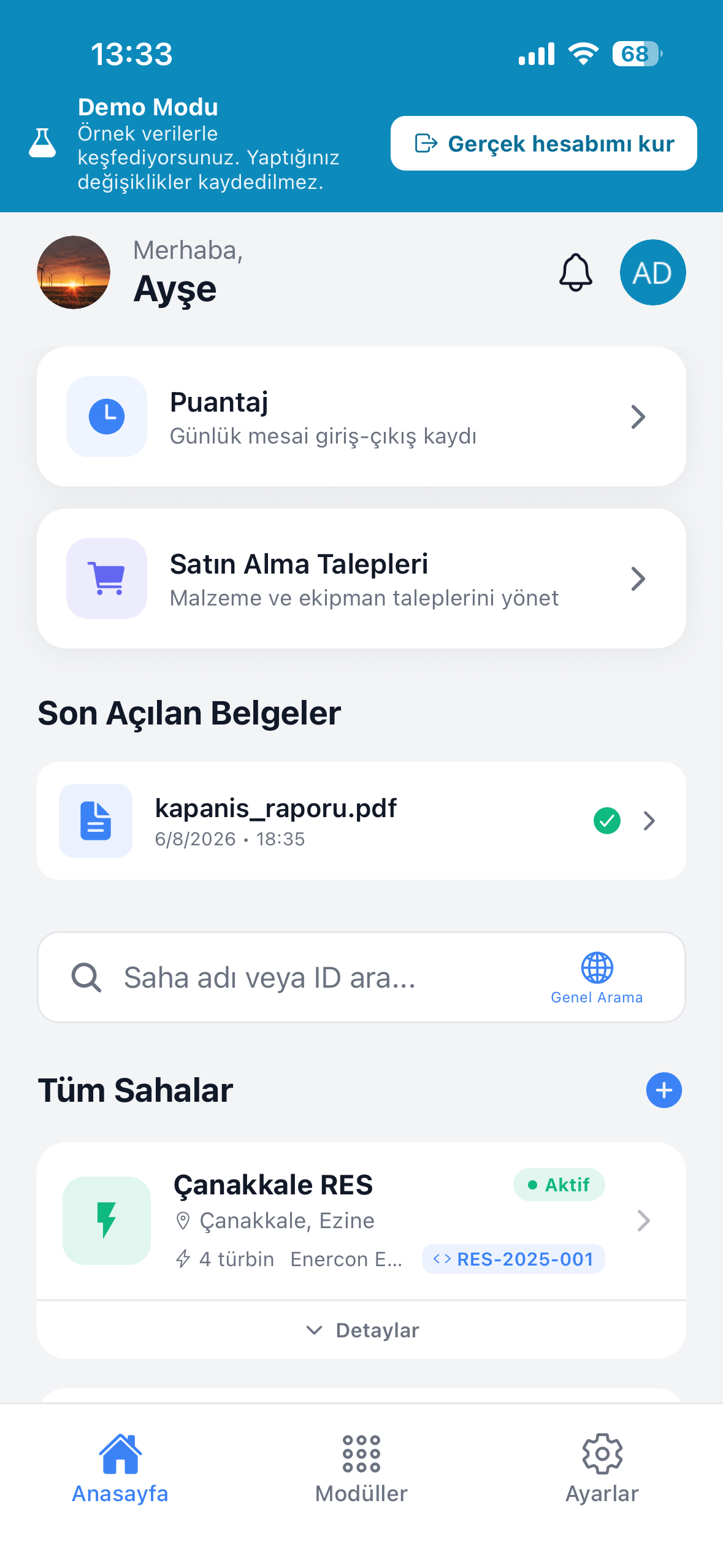
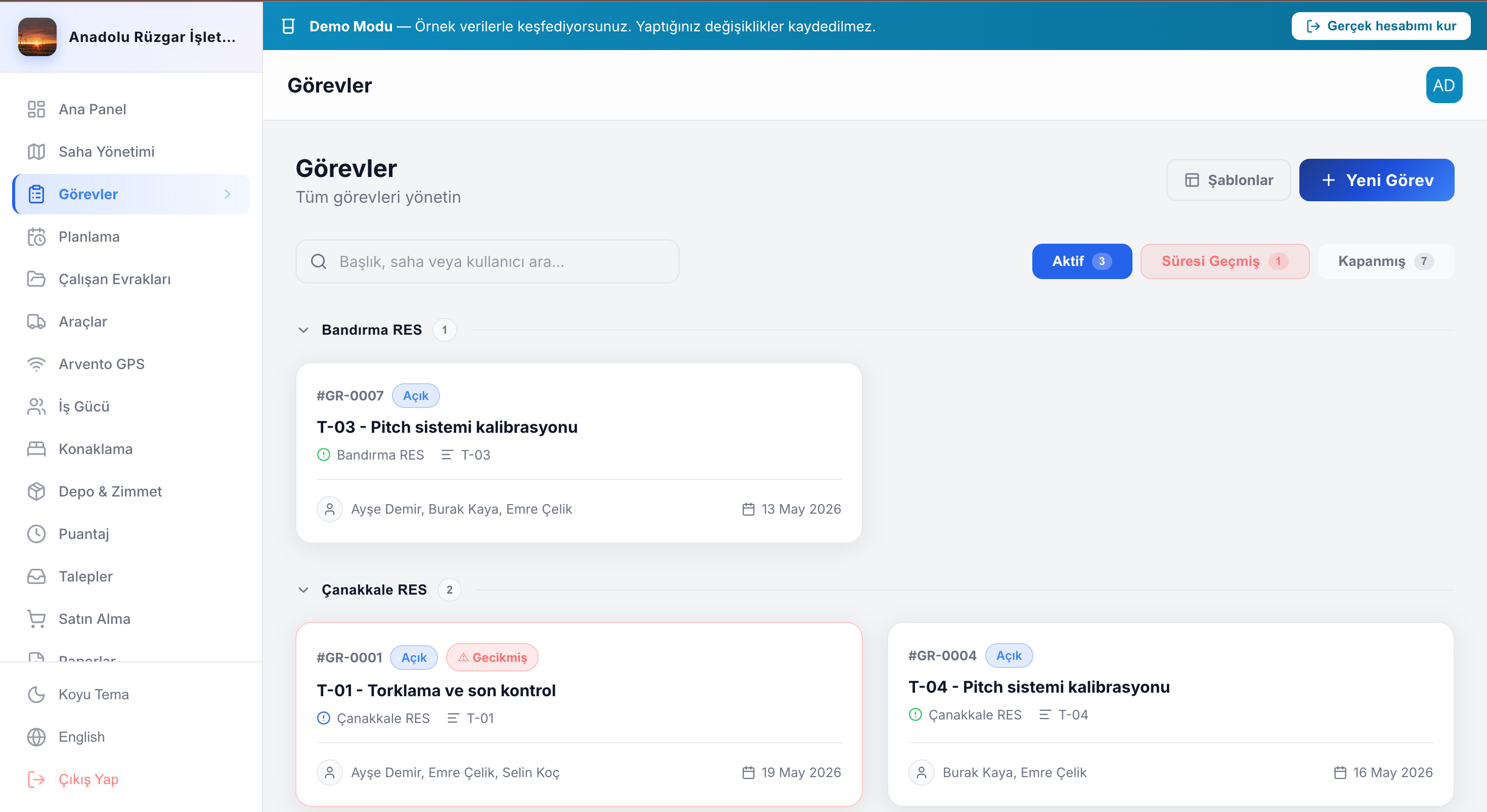
Actual TurbineDoc screens from web and mobile — each one showing a product module.
Daily field operations
From the morning task to the weekly report — the flow never breaks, even offline.
- 1
Morning: task assignment
The site manager builds the day plan and assigns tasks; technicians see them instantly on mobile.
- 2
On site: offline completion
With no internet, the technician still completes the task, adds photos and ticks the checklist.
- 3
On reconnect: auto-sync
When the device comes online, every queued change syncs in order.
- 4
In the office: dashboard review
The project manager reviews progress, timesheets and documents on the real-time dashboard.
- 5
End of week: report
Site- and period-based PDF/Excel reports are generated in one click and shared with stakeholders.
Compliance & audit
When an audit arrives, the proof is already on record — no hunting required.
Full audit log
Every create/update/delete is logged with user and timestamp — a clear retroactive trail.
Quality & HSE records
Turbine quality logs, HSE inspection forms and checklists are kept with date and ownership.
Document & certificate trail
Employee certifications and vehicle/equipment inspections are expiry-tracked, with alerts before they lapse.
Six features that win the field
What generic horizontal tools miss — proof points built for the wind site.
Offline-first
The architecture was designed for offline; it is not a bolt-on feature.
Time-based tracking
Timesheets, overtime and task durations are kept to the minute.
Photo handover
Vehicle and equipment handovers carry photo proof; disputes end.
Site role structure
Five site roles from project manager to technician; everyone sees only what their role needs.
Encrypted fields
Sensitive fields encrypted in the database; files encrypted in transit and at rest.
Multilingual
Turkish, English, German and Chinese — one interface for multinational crews.
Clear operational gains
What digitalization delivers on site.
Faster decisions
The real-time dashboard makes daily status instantly visible; decisions land without delay.
Audit-ready
Proof is always ready and traceable for audits and compliance requests.
Data continuity
Field data is never lost; the offline queue and automated backups protect it.
Fewer disputes
Timestamped records and photo handover minimize disputes.
For every crew on site
One platform; each role focuses on its own work.
EPC firms
Manage installation and commissioning across sites from a single dashboard.
O&M teams
Run maintenance, tasks and turbine status on site, offline.
Multi-site contractors
Track vehicles, equipment and workforce across sites in one flow.
HSE / quality / HR
Manage inspections, certifications and documents with compliance built in.
Works with the services you use
Built-in integrations to feed the operation, plus an open REST API.
OneSignal
Push notifications and a notification center.
Arvento GPS
Live fleet location and telemetry integration.
iyzico
Seat-based subscriptions and secure payments.
Firebase
Mobile stability monitoring with Crashlytics.
Sentry
Backend and client error tracking.
AWS S3
File storage and Glacier archiving.
Resend
Transactional email delivery.
REST API
An open API to integrate with your own systems.
Need a custom integration? Connect your own systems through the REST API.
Per-seat, transparent pricing
Pay per user (seat); the more seats, the lower the per-seat price.
Free
To try it and start small
- 1 turbine
- 500 MB storage
- Web + mobile access
- Offline sync
- Basic reporting
Pro
For growing field operations — per seat
- Unlimited sites & turbines
- 5 GB storage per seat
- All 12 modules
- 5 site roles & RBAC
- Scheduled PDF/Excel reports
- Priority support
Graduated (marginal): seats in each band are billed only at that band’s price. Prices exclude VAT. Contact us for annual billing and extra storage.
Frequently asked questions
The essentials; if you have another question, write to us.
How does TurbineDoc work offline?
Every write goes to the local on-device database first, so the UI updates instantly. When connectivity returns, changes sync automatically in order. Work never stops, even when remote turbine sites lose connection.
Which platforms does it run on?
A native mobile app for iOS and Android, and a web control dashboard in modern browsers. Field crews use mobile, managers use the web dashboard; both share the same data.
Which languages does it support?
Turkish, English, German and Chinese. Multinational crews work in their own language on one platform.
Who owns my data?
Your data is yours. Each organization’s data is isolated at the database level (multi-tenant); export and erasure are supported on request.
Is it GDPR and KVKK compliant?
Yes. Data export/erasure, consent and right-to-be-forgotten are supported; every mutation is logged with user and timestamp. Files are encrypted in transit and at rest.
Are there integrations and an API?
Arvento GPS, OneSignal, Firebase, Sentry, AWS S3 and Resend are built in. We also provide an open REST API to connect your own systems.
What’s the difference between Free and Pro?
Free is suited to trials with 1 turbine and 500 MB storage. Pro includes unlimited sites/turbines, 200 GB storage, all 12 modules, RBAC and scheduled reporting.
Can a deleted document be recovered?
Deleted documents aren’t destroyed immediately; they’re archived and recoverable for 30 days, then moved to long-term archival (S3 Glacier).
Let’s schedule a demo for your team
Let’s talk through your site’s needs and show how we adapt TurbineDoc to your operation.
Email: [email protected]